Cloud providers
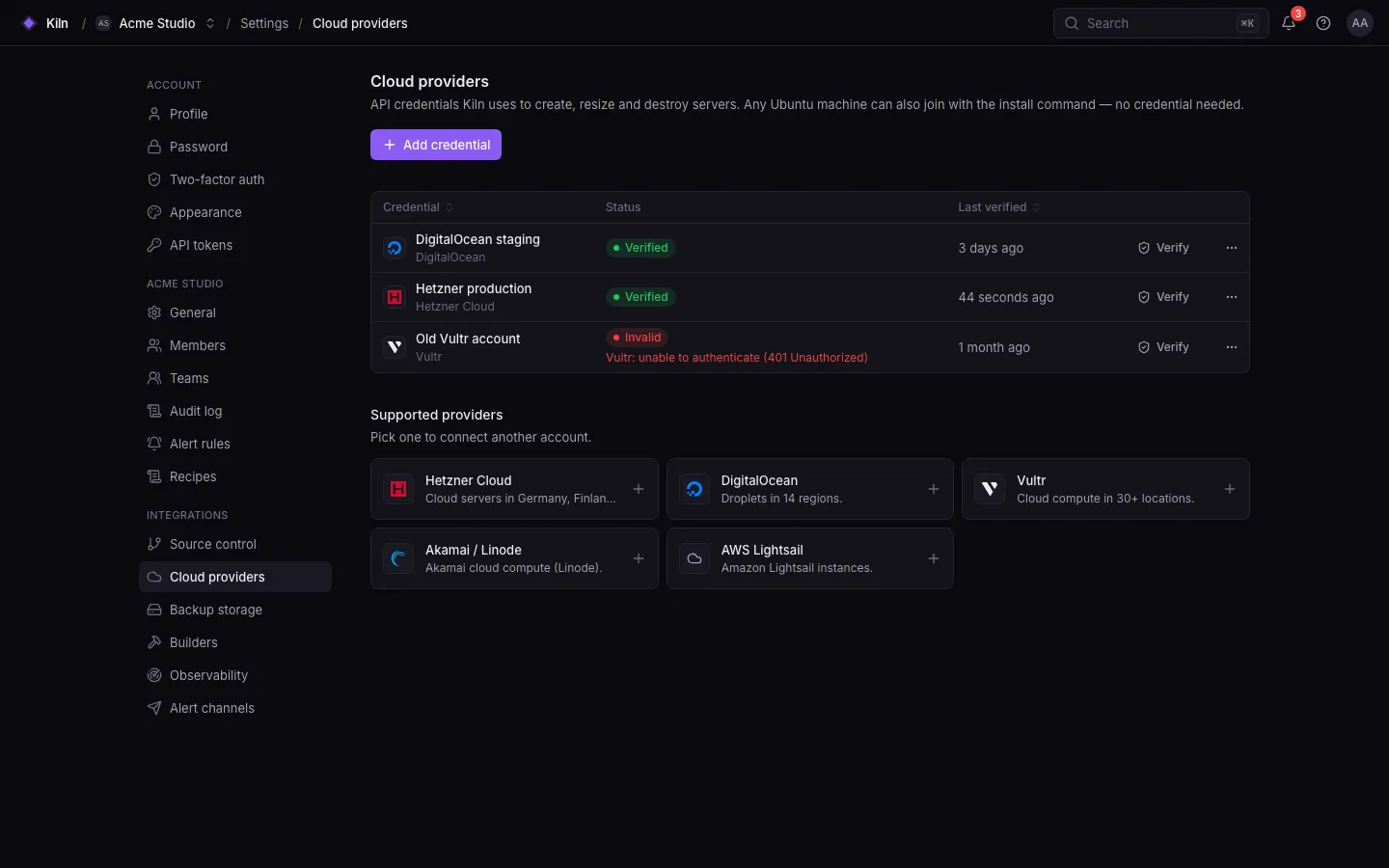
With a provider credential, Falak creates the machine for you through the provider’s API, passes the install command as cloud-init user data, and waits for the agent to enroll. The rest is identical to a custom server.
Supported providers
Section titled “Supported providers”| Provider | API value | API endpoint (override) |
|---|---|---|
| Hetzner Cloud | hetzner |
https://api.hetzner.cloud/v1 (FALAK_HETZNER_API_URL) |
| DigitalOcean | digitalocean |
https://api.digitalocean.com/v2 (FALAK_DIGITALOCEAN_API_URL) |
| Vultr | vultr |
https://api.vultr.com/v2 (FALAK_VULTR_API_URL) |
| Akamai / Linode | linode |
https://api.linode.com/v4 (FALAK_LINODE_API_URL) |
| AWS Lightsail | aws |
https://lightsail.{region}.amazonaws.com (FALAK_LIGHTSAIL_API_URL) |
| Contabo | contabo |
https://api.contabo.com/v1 (FALAK_CONTABO_API_URL; login FALAK_CONTABO_AUTH_URL) |
| Custom | custom |
none: you run the install command |
Add a credential
Section titled “Add a credential”- Create an API token (or access key for AWS) with permission to create and delete servers at your provider.
- Open Settings → Cloud providers, choose the provider and paste the credential. It is stored encrypted.
- Falak loads the provider’s regions, sizes and images (cached for an hour,
FALAK_PROVIDERS_CATALOG_TTL).
Managing credentials needs providers.manage (owners and admins).
Contabo: paste one block
Section titled “Contabo: paste one block”Contabo signs API calls with four values (Client ID, Client Secret, API User, API Password). Falak takes them as one paste:
- On my.contabo.com → Account → API, set an API password if you have not yet.
- Copy the
cntb config set-credentials --oauth2-clientid=… --oauth2-client-secret=… --oauth2-user=… --oauth2-password='…'line shown there, with your API password filled in. - In Settings → Cloud providers → Contabo, paste it into API details and choose Verify and add.
The four labelled values (ClientId: …, Client Secret: …, API User: …, API Password: …), a cntb YAML config, KEY=value lines or JSON work too. If something is missing, Falak names it.
Contabo has no API for plans or prices, so the size list shows each plan’s name and disk (from Contabo’s API documentation) without CPU, memory or price. Check the current specs on contabo.com.
Create a server
Section titled “Create a server”In Servers → Create, pick the provider, the credential, the region, the size and the image, then the type and software as usual. Falak creates the machine with the install command as user data. The server stays creating until the agent enrolls, then provisions automatically.
Delete a server
Section titled “Delete a server”Deleting a server in Falak also destroys the machine at the provider by default (destroy_at_provider, default true in the API). Custom servers are only forgotten: the agent keeps running until you remove it (systemctl disable --now falak-agent).
Limits
Section titled “Limits”- Contabo: Ubuntu images on amd64 only; Storage VPS plans cannot be ordered through Contabo’s API.
- AWS is Lightsail only; EC2 is not supported. Use a custom server for EC2.
- Deleting an organization revokes its agents but does not destroy provider machines.
- Provider APIs are covered by unit and feature tests with faked responses, not yet by the end-to-end suite.
- HTTP calls to providers time out after 30 s (
FALAK_PROVIDERS_HTTP_TIMEOUT) and retry rate limits and idempotent failures up to 3 times.