Databases with backups
PostgreSQL, MySQL and MariaDB on your servers. Scheduled backups to S3, R2, B2 or local storage, one-click restore, connection strings and private-network access.
DATABASE_URL=${{ storefront_db.DATABASE_URL }}Falak is an open-source, self-hosted platform that turns any Linux server into a place to git push Laravel, Node, Bun and static sites, with databases, domains, logs and APM built in. Forge, Envoyer and Nightwatch, with a Railway-style canvas, on hardware you own.
Install Falak with one command
curl -fsSL https://raw.githubusercontent.com/OthmanHaba/falak/main/deploy/install.sh | sudo bash -s -- --domain falak.example.com --email you@example.comFree and open source (Apache 2.0) · Ubuntu 22.04/24.04 or Debian 12 · amd64 and arm64
Logos are trademarks of their owners and show supported technologies. No endorsement is implied.
Project canvas
Every project is a canvas of services, sites and databases, per environment. Open a service and its panel slides in over the canvas; the canvas never navigates away.
${{ storefront_db.DATABASE_URL }} resolve at deploy time and draw edges between servicesGit push deploys
Connect GitHub in one click and every push deploys. Falak builds once, prepares every server, runs migrations on the leader only, then switches all servers to the new release at the same moment.
falak CLI for CIObservability
Every server ships logs, metrics and traces to your own LGTM stack. Add one package to a Laravel or Node app and get Nightwatch-style insights: requests, queries, jobs, exceptions.
Templates
n8n, Plausible, Umami, Ghost, WordPress, MinIO, Metabase and more. Secrets are generated once, domains are ready instantly, image versions are pinned.
Domains
New services get a working address like storefront.63-182-218-247.sslip.io with a real certificate, no DNS needed. Add your own domain and Falak tells you exactly which records to create.
Servers
Each server runs falak-agent: one static Go binary that dials out to your Falak host over mTLS. It provisions, deploys, supervises processes, runs cron, applies the firewall and ships telemetry.
And the rest of the platform
The parts you would otherwise glue together from five tools and a wiki page.
PostgreSQL, MySQL and MariaDB on your servers. Scheduled backups to S3, R2, B2 or local storage, one-click restore, connection strings and private-network access.
DATABASE_URL=${{ storefront_db.DATABASE_URL }}Queue workers, Horizon, daemons and cron, supervised by the agent. Heartbeats flag scheduled tasks that did not run.
FrankenPHP worker mode, Swoole or RoadRunner. Caddy serves public files and holds requests while Octane restarts.
nftables rules applied by the agent, SSH hardening at provisioning, release directories closed to other users.
A REST API with scoped tokens, the falak CLI, and a browser terminal to any server through its agent.
falak deploy shop --wait && falak logs shop --followFailed deploys and backups, rollbacks, crash loops and failed agent upgrades, sent to email, Slack, Discord, Telegram or a webhook.
Put a load balancer in front of several app servers and connect servers over WireGuard private networks.
status, doctor, backup and restore, and updates that back up first and roll back automatically if anything fails.
falak-ctl update # backup → pull → migrate → health-check, or roll backThe real thing
A calm, dark-first UI modelled on Railway, in dark and light.
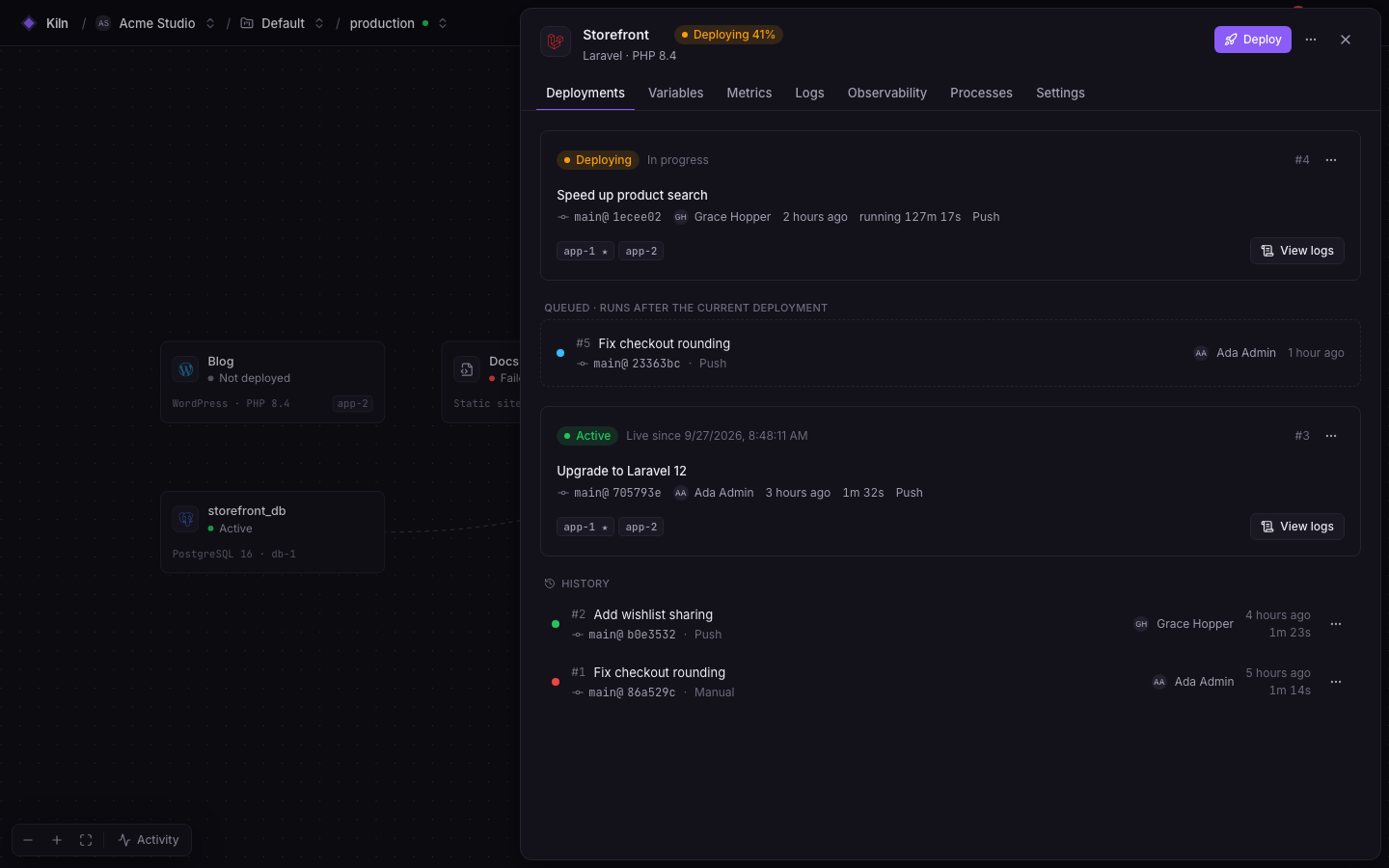

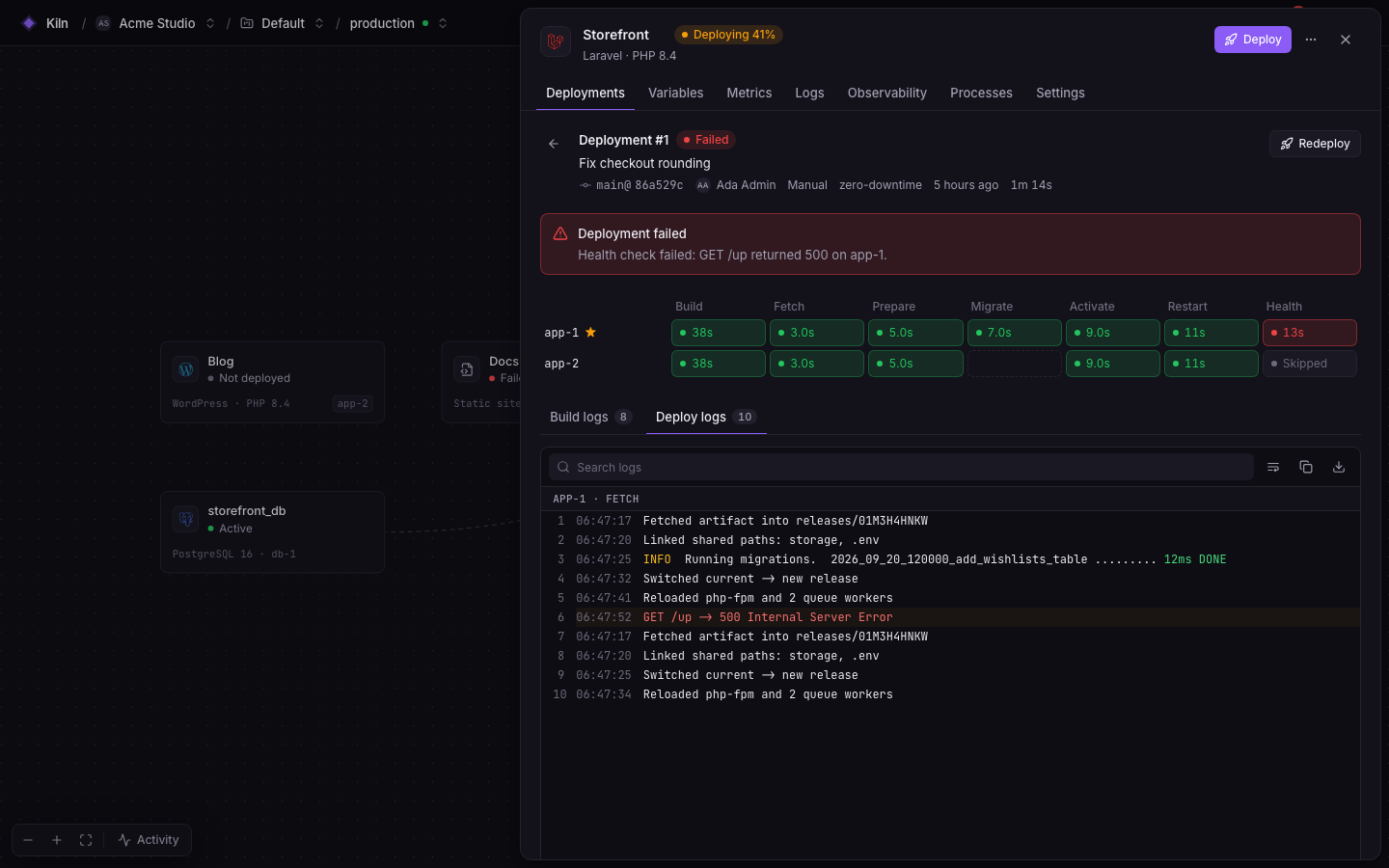
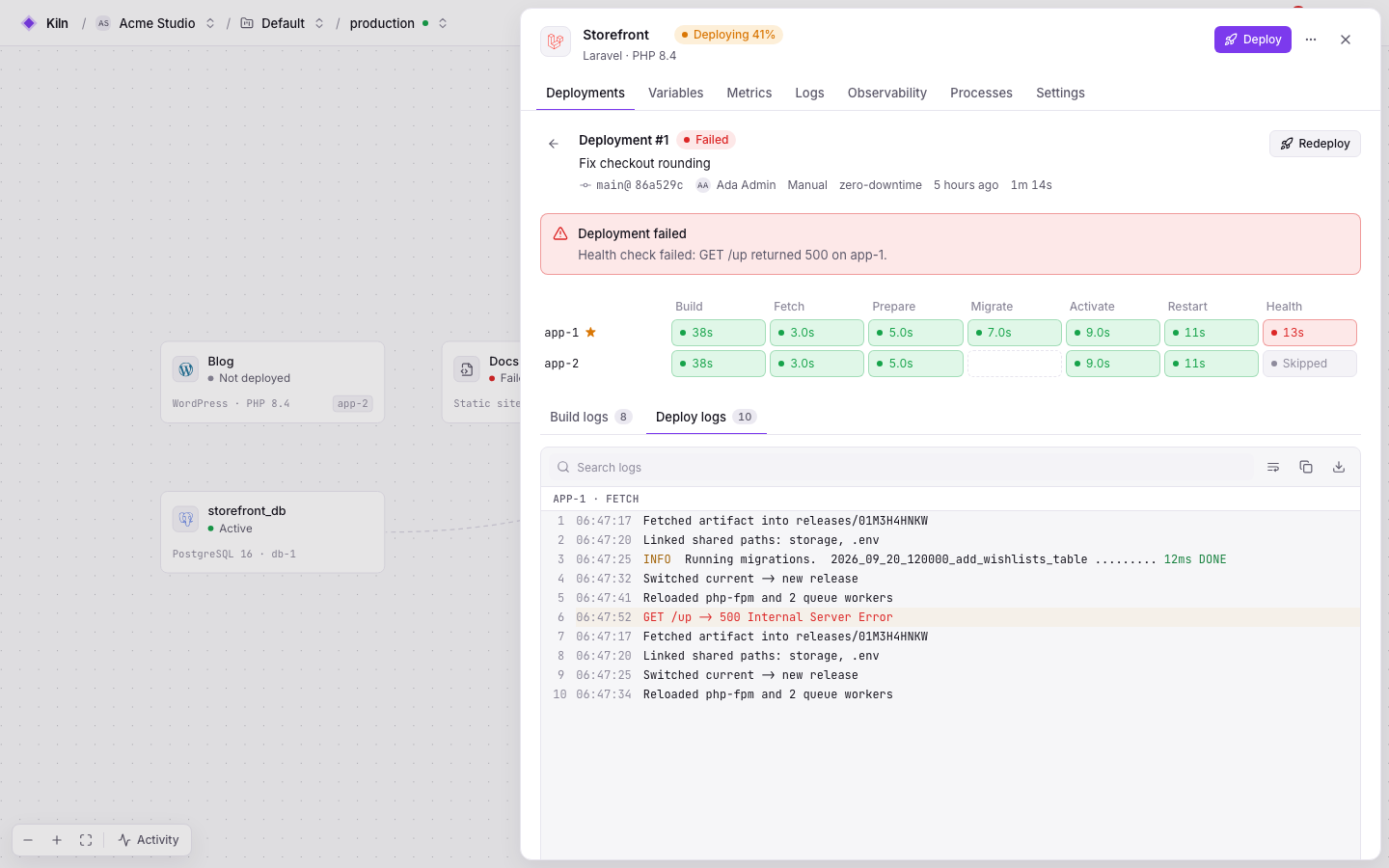
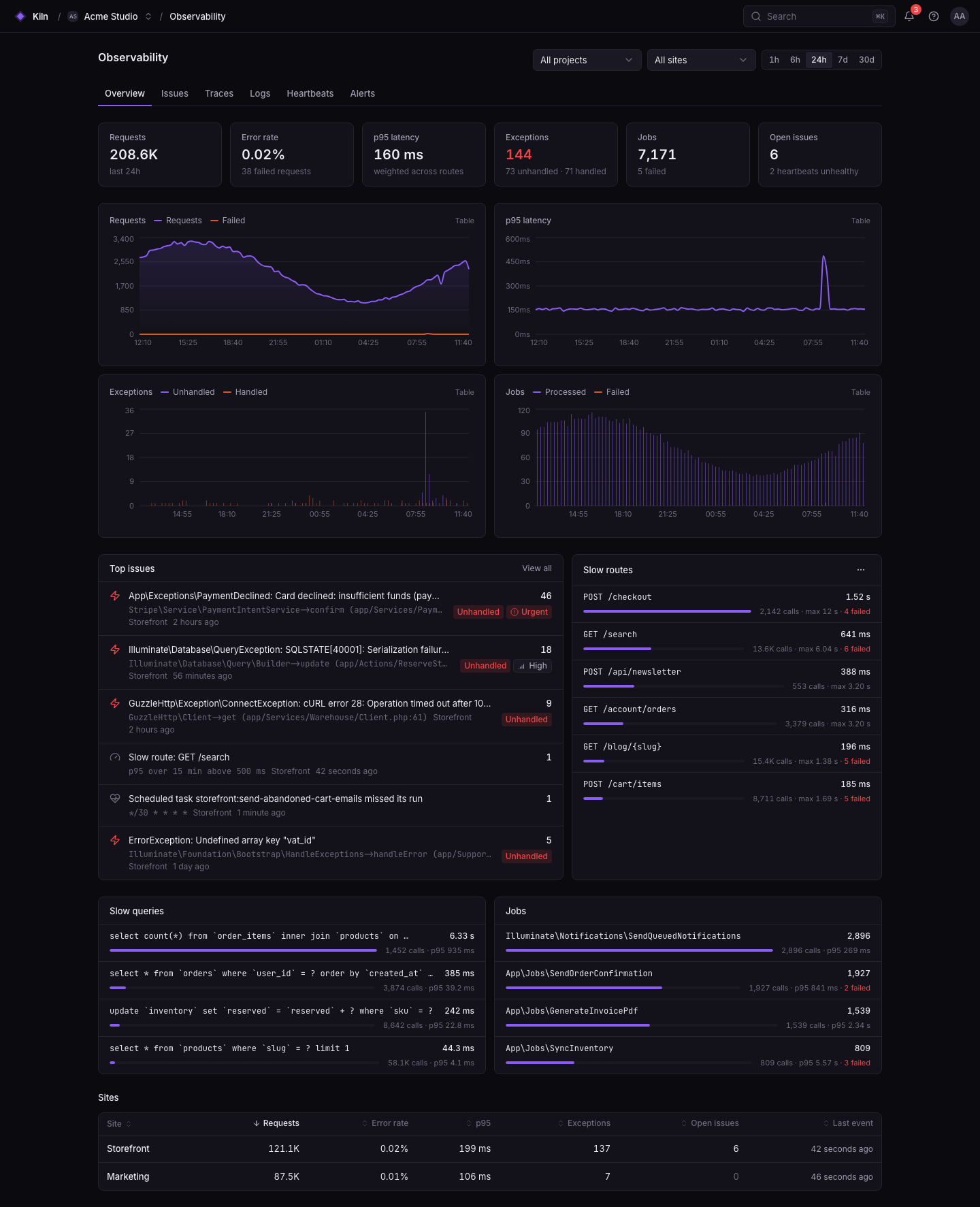
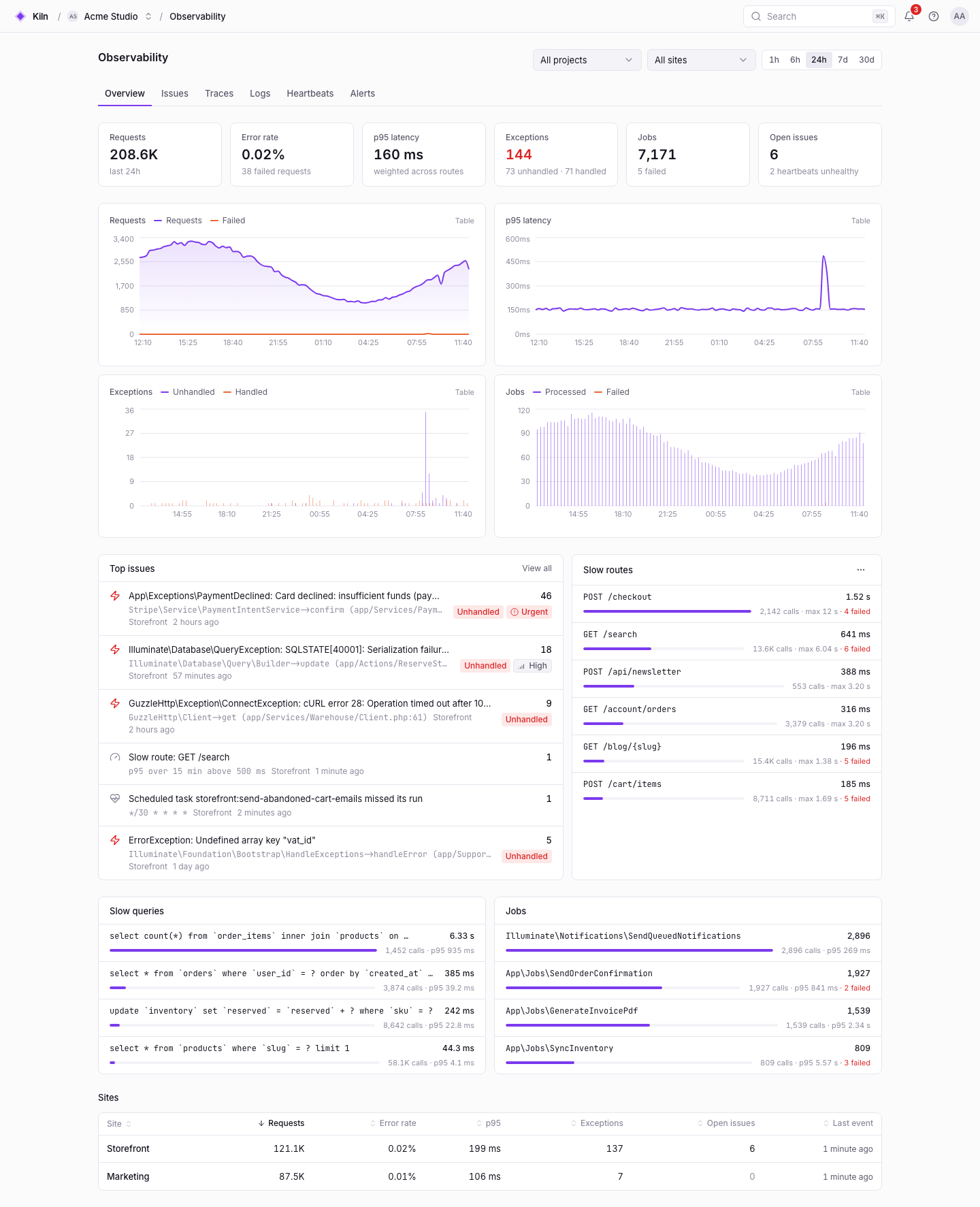
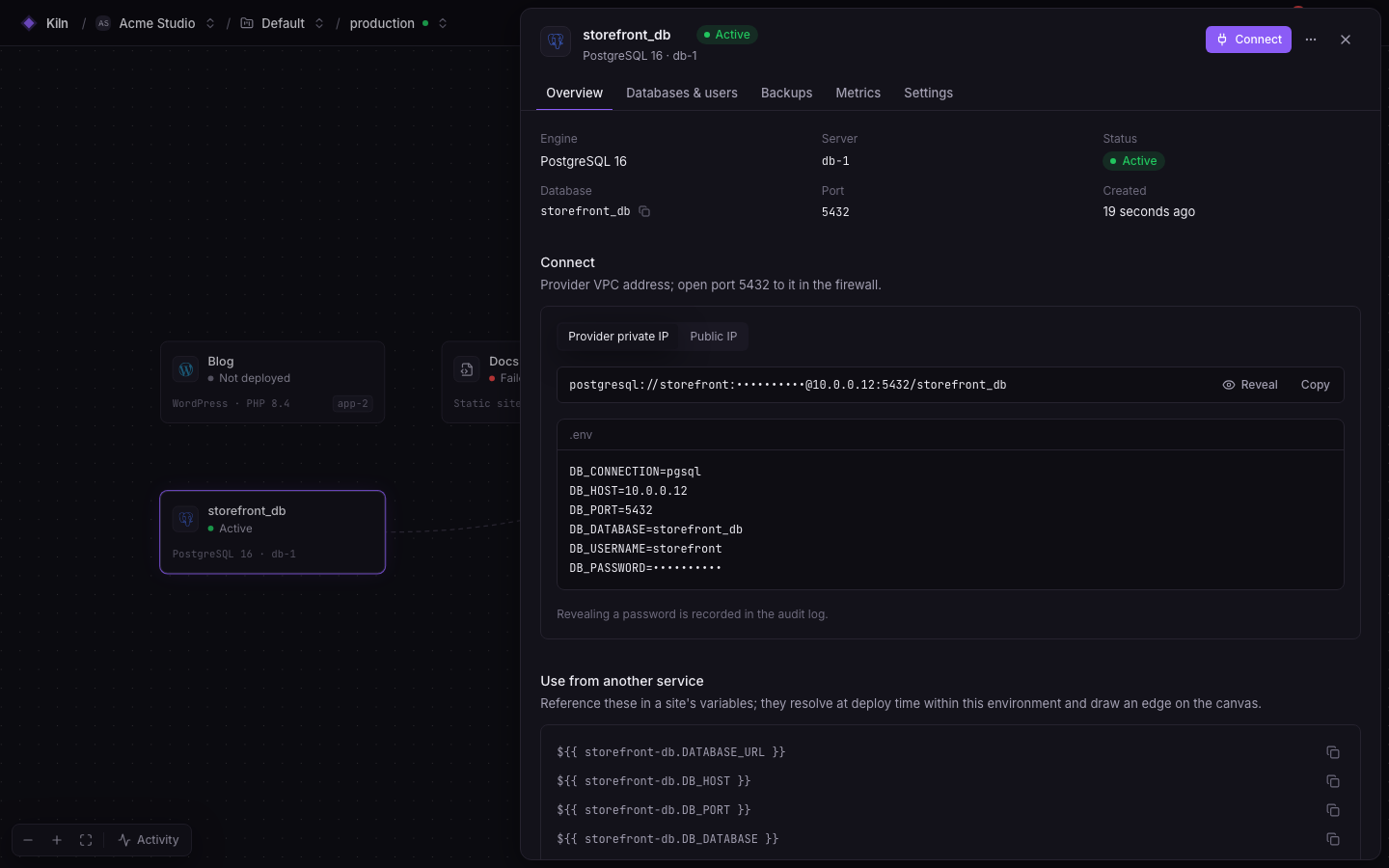
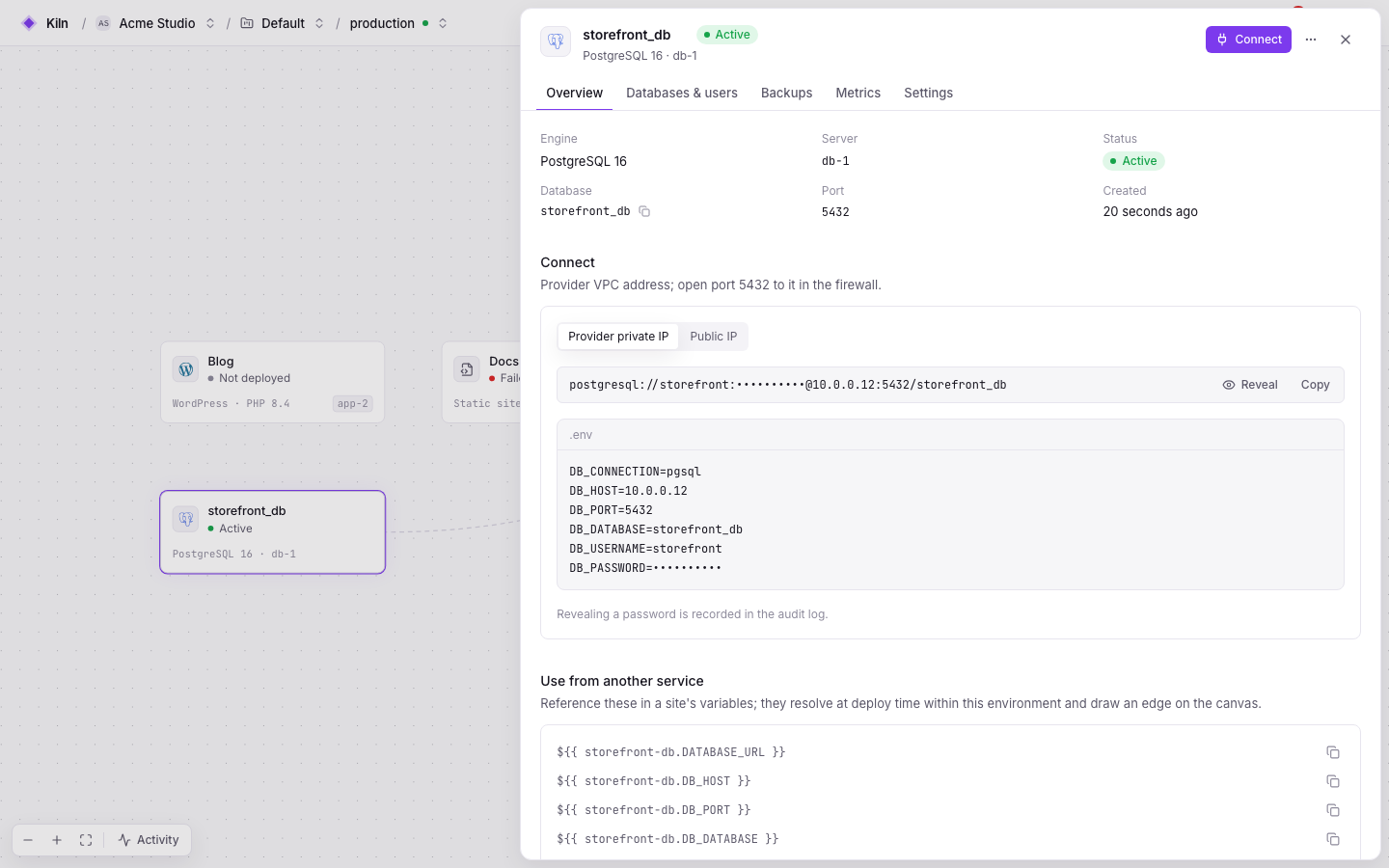
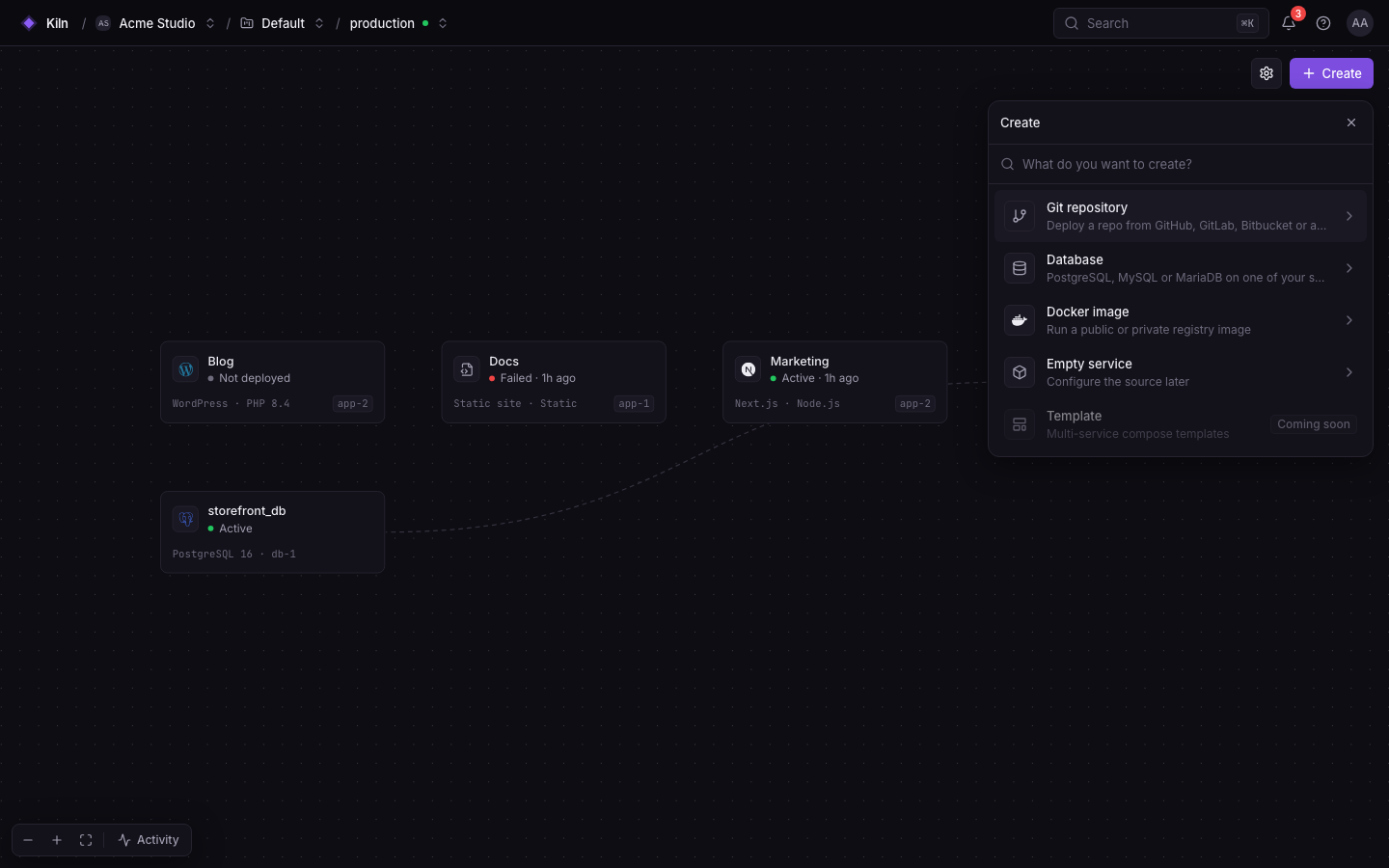
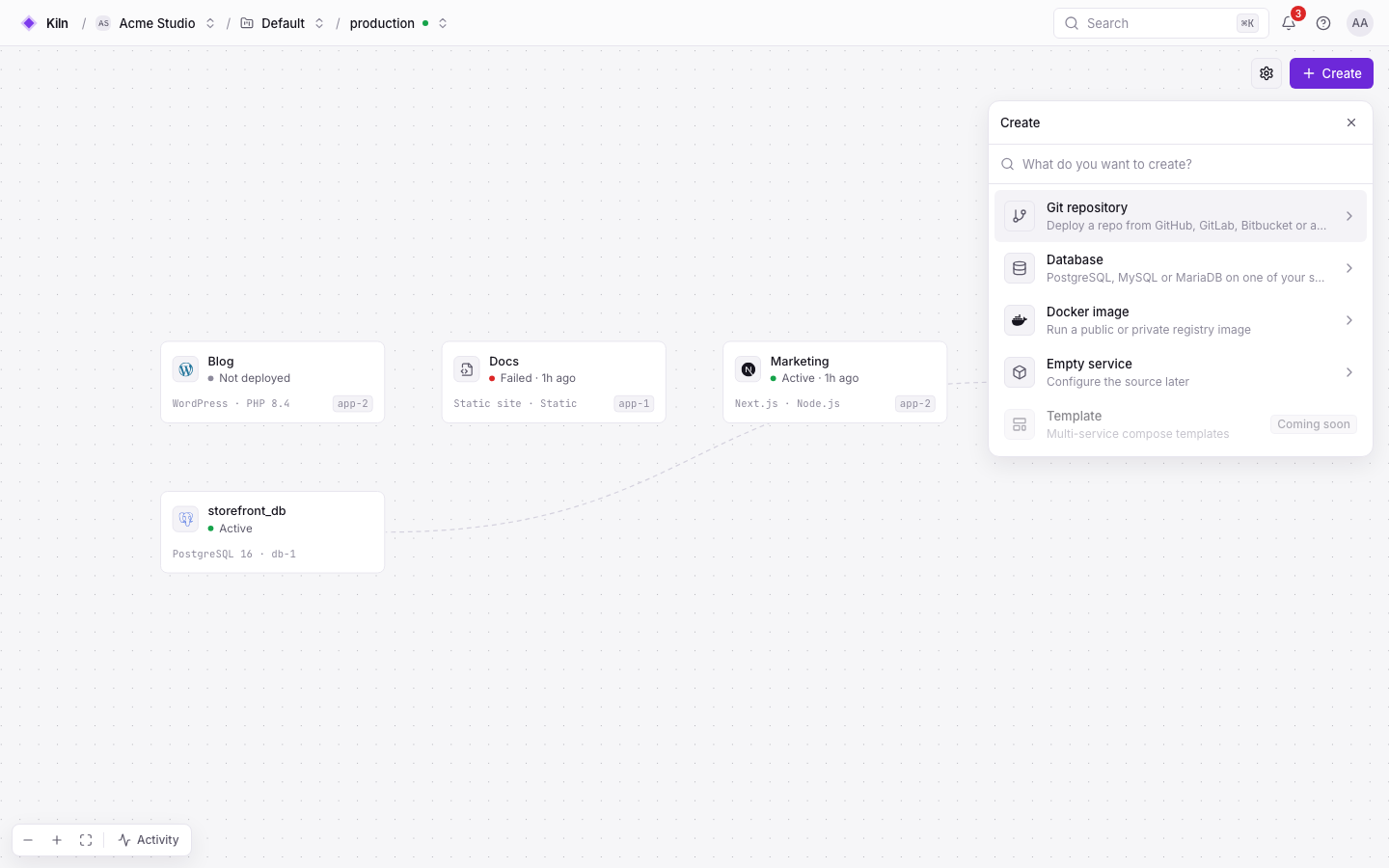
Real screenshots from Falak’s browser test suite (demo data).
How it works
Point two DNS records at a fresh host and run the installer. It checks the host, installs Docker, starts the stack with Let’s Encrypt and prints your admin password.
curl -fsSL …/install.sh | sudo bash -s -- \
--domain falak.example.com --email you@example.comCreate servers on your cloud account from the panel, or paste the printed one-liner on any Ubuntu box. The agent enrolls over mTLS and provisions the server for its role.
curl -fsSL https://falak.example.com/install/<token> | shCreate a service from a repository, a Docker image or a template. Push to your branch, or install the falak CLI on your machine in one line and deploy from your terminal or CI.
git push origin main
# or, from your laptop:
curl -fsSL …/install-cli.sh | sh
falak deploy shop --wait
Architecture
A Laravel modular monolith runs the panel, queues and API on one Docker Compose host. Servers never need inbound SSH: their agent dials out, so a firewall can drop everything but your apps.
Lightweight by design
Falak is built to leave your servers’ resources to your apps. Numbers measured on the production images, as documented in the install guide.
Compare
Managed platforms trade control for convenience. Falak gives you the convenience on your own servers. Checked against public docs, as of September 2026.
| Feature | Falak | Railway | Vercel | Forge | Coolify |
|---|---|---|---|---|---|
| Apps run on servers you own | Yes | No | No | Yes | Yes |
| Control panel you host yourself | Yes | No | No | No | Yes |
| Open source | Yes | No | No | No | Yes |
| Long-running workers and queues | Yes | Yes | No | Yes | Yes |
| Git push-to-deploy | Yes | Yes | Yes | Yes | Yes |
| Nothing to host or patch yourself | No | Yes | Yes | Partly | Partly |
Open source · self-hosted
Falak’s source is on GitHub. Read it, run it, fork it. Your apps, databases and telemetry stay on machines you control, and your bill is your server provider’s bill.
Falak is a self-hosted, open-source (Apache 2.0) platform for deploying and running apps on servers you own. It combines Forge-style server management, multi-server zero-downtime deploys, a Railway-style project canvas and Nightwatch-style observability in one control panel that you install yourself.
Yes. Falak costs nothing to use. You pay your server provider for the machines Falak runs on and the servers it manages, nothing per seat, per deploy or per request.
Yes. You get git push deploys, zero-downtime releases with rollback, databases, custom domains with automatic HTTPS, logs and APM, on your own servers. Managed platforms still do some things Falak does not, such as global edge networks, pull-request previews and autoscaling; the comparison pages go through the details.
A Linux host with Ubuntu 22.04/24.04 or Debian 12 (amd64 or arm64), 2 GB RAM minimum (4 GB recommended, 8 GB with the observability stack), ports 80 and 443 reachable, and DNS records for the panel and its agents host. The installer checks all of this before it starts.
Fresh Ubuntu servers from any provider, or created for you on Hetzner, DigitalOcean, Vultr, Linode or AWS Lightsail. Each server runs falak-agent, a small Go binary that connects to your Falak host over mTLS, and is provisioned for its role: app, web, database, cache, worker, load balancer or builder.
Laravel, Symfony, Statamic, WordPress and plain PHP (FrankenPHP or PHP-FPM), Next, Nuxt and Node apps, Bun and Deno, static sites with SPA fallback, Docker images and Dockerfiles, Docker Compose stacks, and 18 one-click templates such as n8n, Plausible, Umami, Ghost and MinIO.
On machines you control. The control plane and its Postgres database run on your Falak host, your apps and databases on your servers, and logs, metrics and traces go from the agents to your own Loki, Tempo and VictoriaMetrics or Mimir.
Falak is young (v0.2). Its end-to-end suite drives the whole product against Ubuntu 24.04 servers in a simulation (provisioning, deploys, rollbacks, Octane, observability), and it has been run on real AWS servers. Some parts, such as provider APIs, S3 backups and alert delivery, are covered by unit and feature tests only so far. Updates take a backup first and roll back automatically if they fail.
One command installs Falak on a fresh Ubuntu or Debian host. Connect servers, push code, watch it go live.
curl -fsSL https://raw.githubusercontent.com/OthmanHaba/falak/main/deploy/install.sh | sudo bash -s -- --domain falak.example.com --email you@example.com