Push-to-deploy and deploy hooks
Falak can start a deployment in five ways: the Deploy button, the API or CLI, a push to the site’s branch, a deploy hook URL, or a rollback. This page covers the two automatic ones.
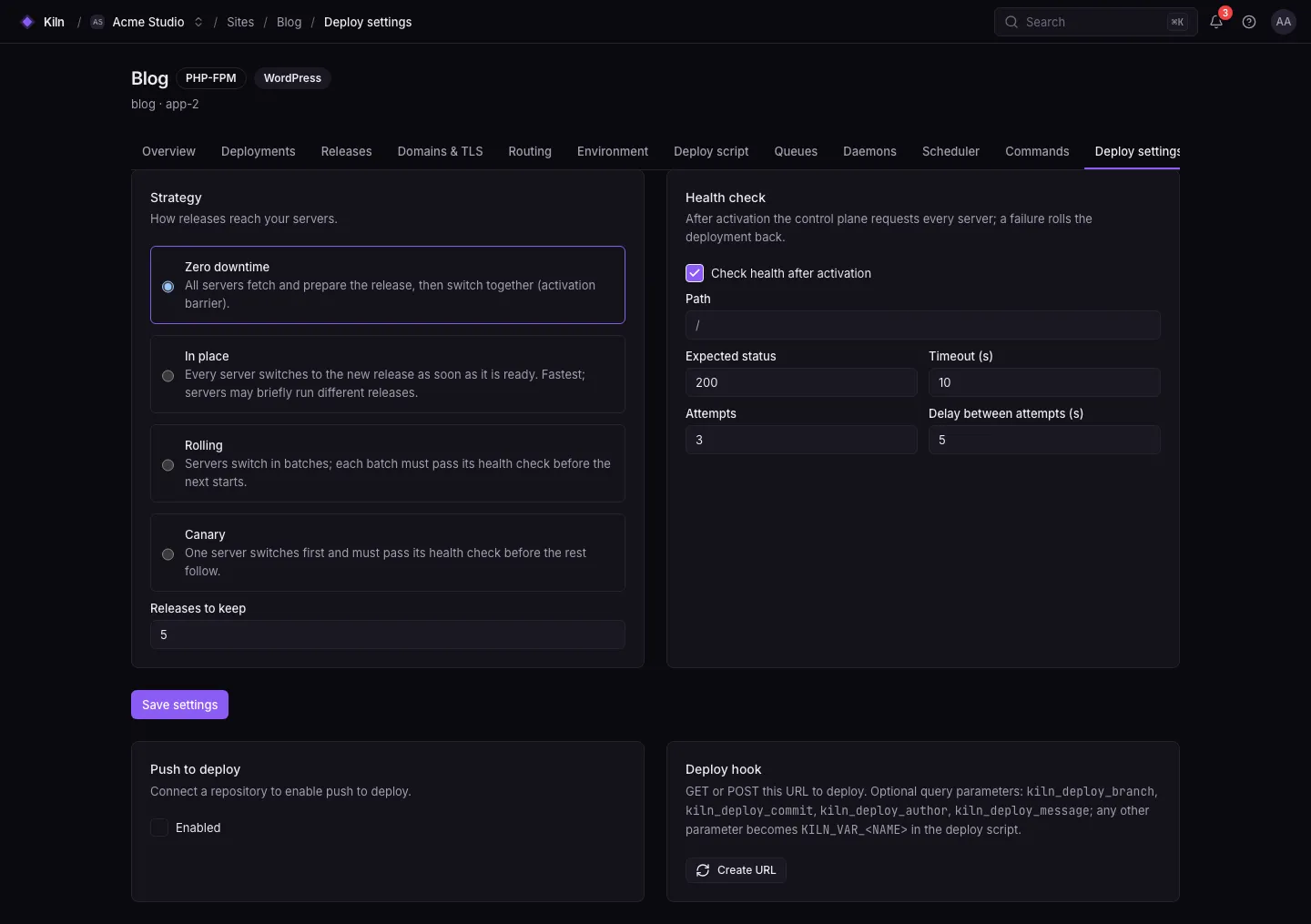
Push-to-deploy
Section titled “Push-to-deploy”When push-to-deploy is on, every push to the site’s branch deploys the pushed commit.
- Connect the repository through a Git connection (GitHub App, token, or custom git with a webhook).
- Open the site’s Settings → Source and turn on Push to deploy. Sites created from the canvas have it on already; sites created through the API default to off (
push_to_deploy: false). - Push to the branch.
How the webhook reaches Falak depends on the connection:
| Connection | Webhook |
|---|---|
| GitHub App | The app’s single webhook; nothing to set up |
| GitHub / GitLab / Bitbucket token | Falak creates a webhook on the repository through the provider’s API |
| Custom git | You add the webhook on your git server; see Custom git webhooks |
Only branch pushes count; tag pushes and branch deletions are ignored. Settings → Source control → Recent pushes shows the last 20 deliveries.
Deploy hooks
Section titled “Deploy hooks”A deploy hook is a secret URL that starts a deployment when requested. Use it from CI, cron, chat bots, or git servers without webhooks.
- Open the site’s Settings → Deploy (Deploy hook) and click Create URL.
- Copy the URL. It looks like
https://falak.example.com/api/deploy/<token>. - Call it with
GETorPOST.
curl -fsS -X POST "https://falak.example.com/api/deploy/$FALAK_HOOK_TOKEN"{"data": {"id": "01k…", "status": "building", "number": 42, "url": "https://falak.example.com/sites/01k…/deployments/01k…"}}Parameters
Section titled “Parameters”| Query parameter | Meaning |
|---|---|
falak_deploy_branch |
Branch to deploy (default: the site’s branch) |
falak_deploy_commit |
Exact commit SHA (7–64 hex characters) |
falak_deploy_author |
Author shown in the UI and exported as FALAK_COMMIT_AUTHOR |
falak_deploy_message |
Message shown in the UI and exported as FALAK_COMMIT_MESSAGE |
| anything else | Exported as FALAK_VAR_<NAME> to the deploy script (upper-cased, non-alphanumerics become _); at most 50 variables of 4 KiB each, stored encrypted |
curl -fsS -X POST "https://falak.example.com/api/deploy/$FALAK_HOOK_TOKEN?falak_deploy_commit=$GITHUB_SHA&falak_deploy_author=$GITHUB_ACTOR&release_notes=yes"# the deploy script sees FALAK_VAR_RELEASE_NOTES=yes| Status | Meaning |
|---|---|
202 |
Deployment created (or merged into a waiting one) |
404 |
Unknown or rotated token |
422 |
Invalid commit |
429 |
More than 30 calls per minute |
Regenerating the URL invalidates the old one. Treat the URL like a password.
Which to use from CI
Section titled “Which to use from CI”| Need | Use |
|---|---|
| Fire and forget | Deploy hook |
| Wait for the result and fail the CI job | falak deploy <site> --wait (exit code 3 on failure). See CLI in CI. |
| Full control, JSON | POST /api/v1/sites/{site}/deployments and poll. See Deployments API. |
Next steps
Section titled “Next steps”Deploy scriptsUse FALAK_VAR_* and other variables in your script.
Deploy hooks APIExact reference.