Database backups
Falak dumps your databases on the database server and uploads the dump straight to object storage. Servers never hold storage credentials: the control plane hands the agent a presigned upload URL for each backup.
1. Add backup storage
Section titled “1. Add backup storage”-
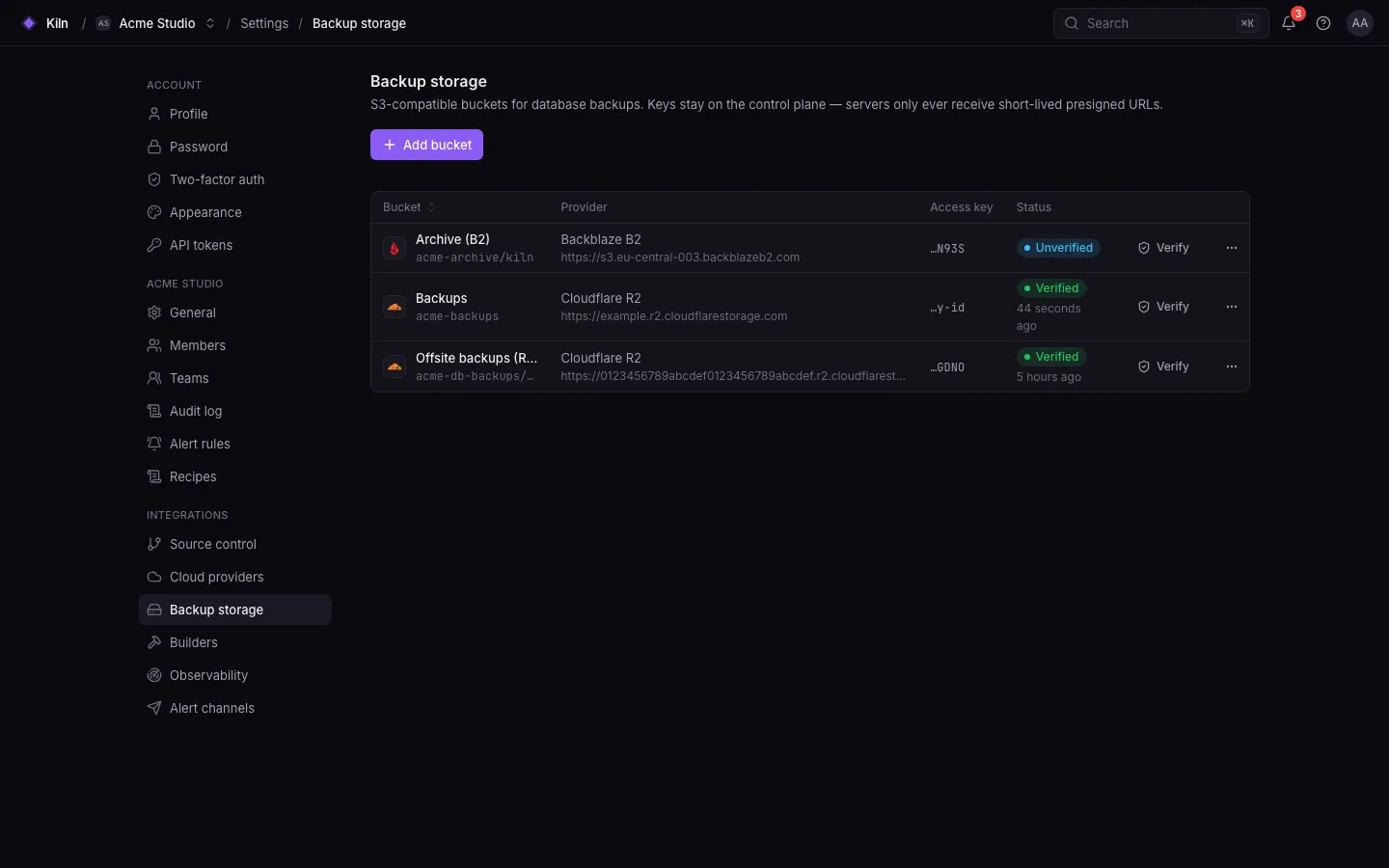
Open Settings → Backup storage → Add (permission
databases.storage.manage, owners and admins). -
Pick the driver and fill in the bucket and credentials:
Driver Value Region hint Amazon S3 s3e.g. eu-central-1Cloudflare R2 r2autoBackblaze B2 b2e.g. us-west-004DigitalOcean Spaces spacese.g. fra1MinIO / S3-compatible minious-east-1unless configured otherwise; endpoint required (https)Field Rule Name Unique in the organization Bucket 3–63 characters, lowercase Prefix Optional path prefix Endpoint https://URL; required for MinIOPath-style For S3-compatible services that need it -
Save. Falak verifies access and stores the credentials encrypted.
2. Schedule backups
Section titled “2. Schedule backups”-
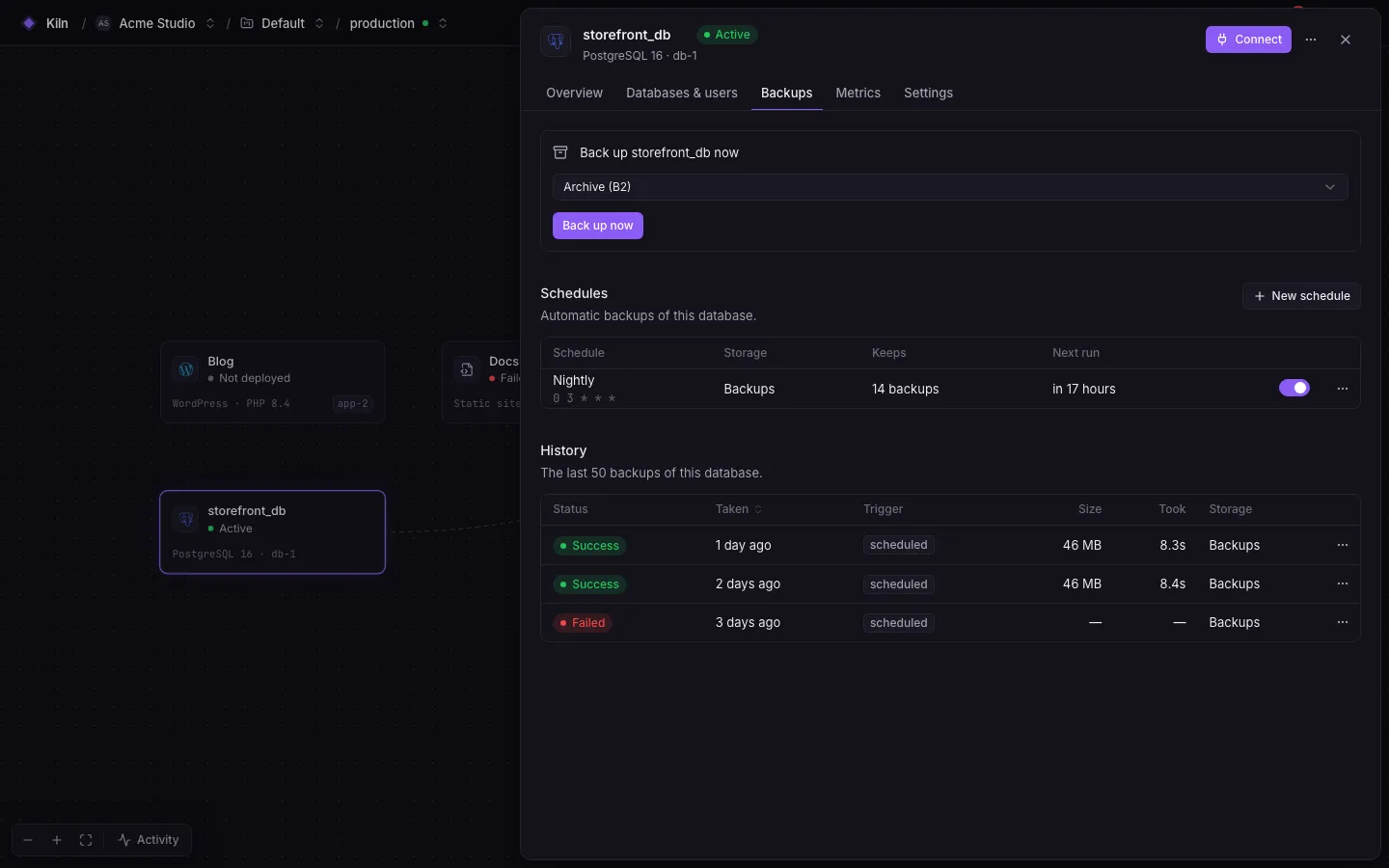
Open the database panel → Backups → New schedule.
-
Fill in:
Field Rule Name Up to 100 characters Storage A storage provider Databases One or more databases on this engine (up to 200) Cron A cron expression, for example 0 3 * * *Keep the newest N 1–1000 (optional) Keep for N days 1–3650 (optional) Compression gzip(default) ornone -
Save. Old backups beyond the retention are pruned from storage.
Back up now
Section titled “Back up now”Run a one-off backup of a single database from its row in Databases & users or Backups, choosing the storage provider and compression.
Restore
Section titled “Restore”- Open Backups, pick a successful backup and choose Restore.
- Choose the target database and type its name to confirm.
- The agent downloads the dump through a presigned URL and restores it. The target’s data is overwritten.
Restoring needs databases.restore (owners and admins).
Timing
Section titled “Timing”| Setting | Value |
|---|---|
| Backup command timeout | 3600 s |
| Restore command timeout | 3600 s |
| Upload URL lifetime | 12 h (FALAK_BACKUP_UPLOAD_URL_TTL) |
| Download URL lifetime | 6 h (FALAK_BACKUP_DOWNLOAD_URL_TTL) |
Alerts
Section titled “Alerts”| Alert type | Severity |
|---|---|
databases.backup_failed |
critical |
databases.backup_recovered |
info (backups succeed again) |
databases.restore_failed |
critical |
databases.restore_succeeded |
info |
Route them to a channel in Alerts.
Limits
Section titled “Limits”- Backups and restores against real S3 are covered by unit and feature tests, not yet by the end-to-end suite. Test a restore before you rely on it.
- There is no local-disk storage driver; use an S3-compatible bucket (MinIO works).