Consoles
A console is a shell where your app runs. It goes through the server’s agent, like the web terminal, so it needs no SSH key and no open port 22. Consoles arrived in v0.13.0.
What a console opens
Section titled “What a console opens”| Target | Opens |
|---|---|
| Docker site | Its running container |
| Compose site | The running container of the service you pick (asked only when the stack has several) |
| Native site (PHP, Node, Bun, Deno, static) | A shell as the site’s user, in its current release, with the site’s variables |
| Database instance | Its container (falak-db-<id>); the instance must be running |
| Server | A shell as root, or the user you choose |
| Function | No console: functions run on demand |
Inside a container the console starts bash when the image has it, else sh. A native site that was never deployed has no current release: the shell starts in the user’s home and says so on its first line.
Open one
Section titled “Open one”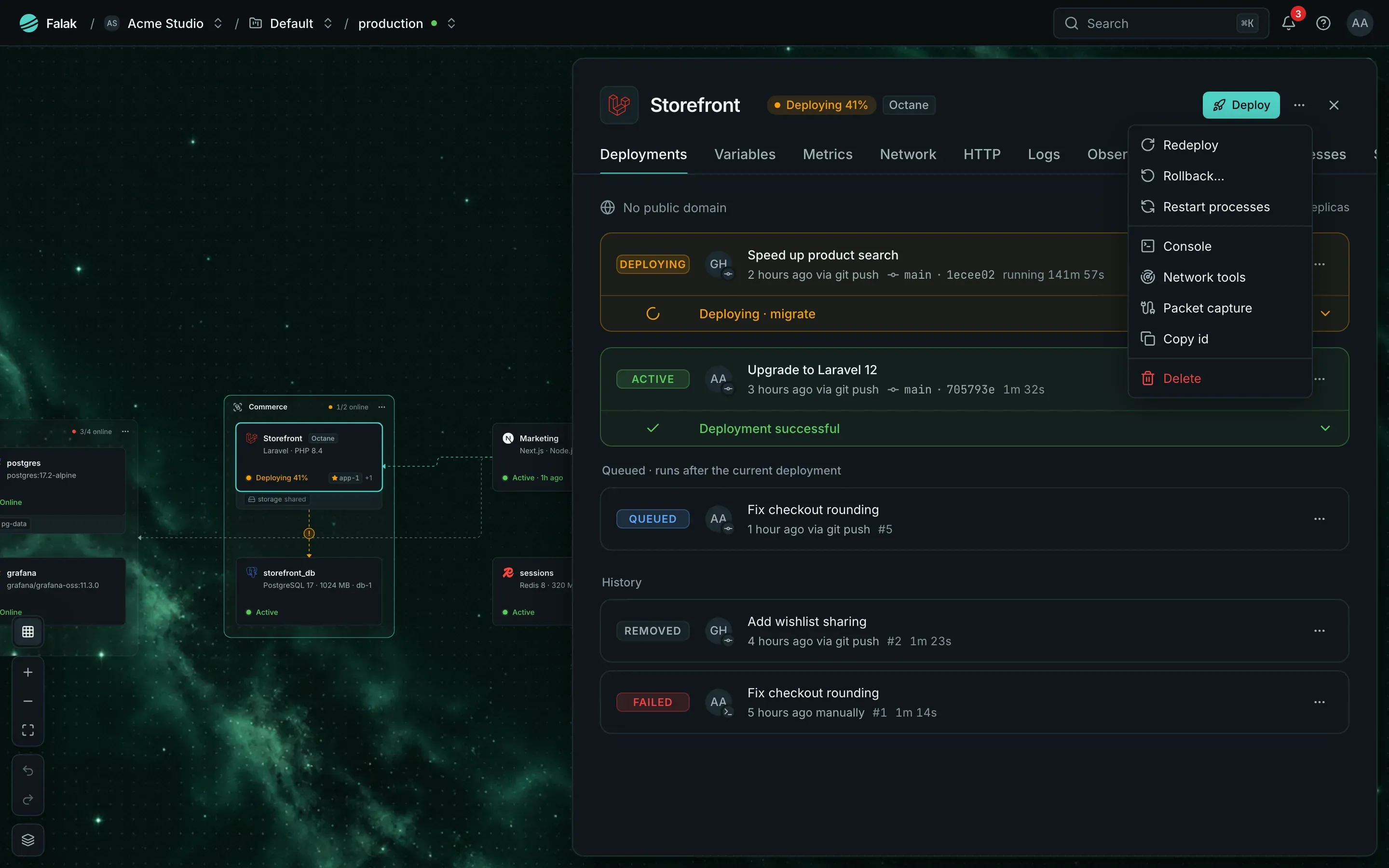
- Site: open the site’s panel, then ⋯ → Console. If the site runs on several servers, pick one; for a compose site, pick the service.
- Database: open the instance page and click Console.
The session page shows the target, for example Console · shop (container web) on main-1.
falak console shop # the site's leader serverfalak console shop --server app-2 # another of its serversfalak console shop --service worker # a compose servicefalak console --db shop-db # a database containerfalak console --host app-1 --user deploy # a server shell (root without --user)The CLI puts your terminal in raw mode, forwards window resizes, and exits with the remote shell’s exit code. A dropped connection reconnects silently (up to 5 times in a row). Ctrl-C goes to the remote shell. falak ssh still runs OpenSSH, as before.
curl -X POST "https://falak.example.com/api/v1/sites/shop/console" \ -H "Authorization: Bearer $FALAK_TOKEN" -H "Accept: application/json" \ -H "Content-Type: application/json" -d '{"service": "web"}'The answer carries a wss:// URL with a single-use ticket valid for 60 seconds. See Consoles and network tools API.
Who can open one
Section titled “Who can open one”Consoles use the terminal permissions: terminal.open (owners and admins by default), plus sites.view for a site console or databases.view for a database console. Sharing, watching (terminal.attach), typing into others’ sessions (terminal.control) and recordings work as for the web terminal.
Every console is a terminal session: audited, recorded and listed under Terminal. Unsharing or closing a session, or removing a member, disconnects the clients that lost access.
The terminal relay
Section titled “The terminal relay”Consoles and server terminals travel through the relay, a small Go service (about 12 MB) that runs next to the control plane as the compose service relay. Typing costs one network round trip instead of a command long-poll per keystroke.
- The installer’s compose stack turns it on (
FALAK_TERMINAL_RELAY=1). Browsers and the CLI reach it atwss://<panel>/terminal/v1. - If the browser can’t reach the relay, the session page falls back to the previous path, so sessions keep working (slower).
- The CLI only speaks the relay. With the relay off, the console API answers
409“The terminal relay is off on this installation.”