Routing rules
Routing rules run in Caddy on your servers (or the load balancer), before requests reach your app. Manage them under the site’s Settings → Networking (the Routing section). On a Compose site, pick a public service in the service picker: redirects, basic auth and headers apply to the whole site or to that service, and a service’s allow list replaces the site’s while its deny list adds to it. Every change recompiles the full Caddy configuration of each server and applies it atomically; bursts of changes within 2 seconds are applied once (FALAK_EDGE_APPLY_DELAY).
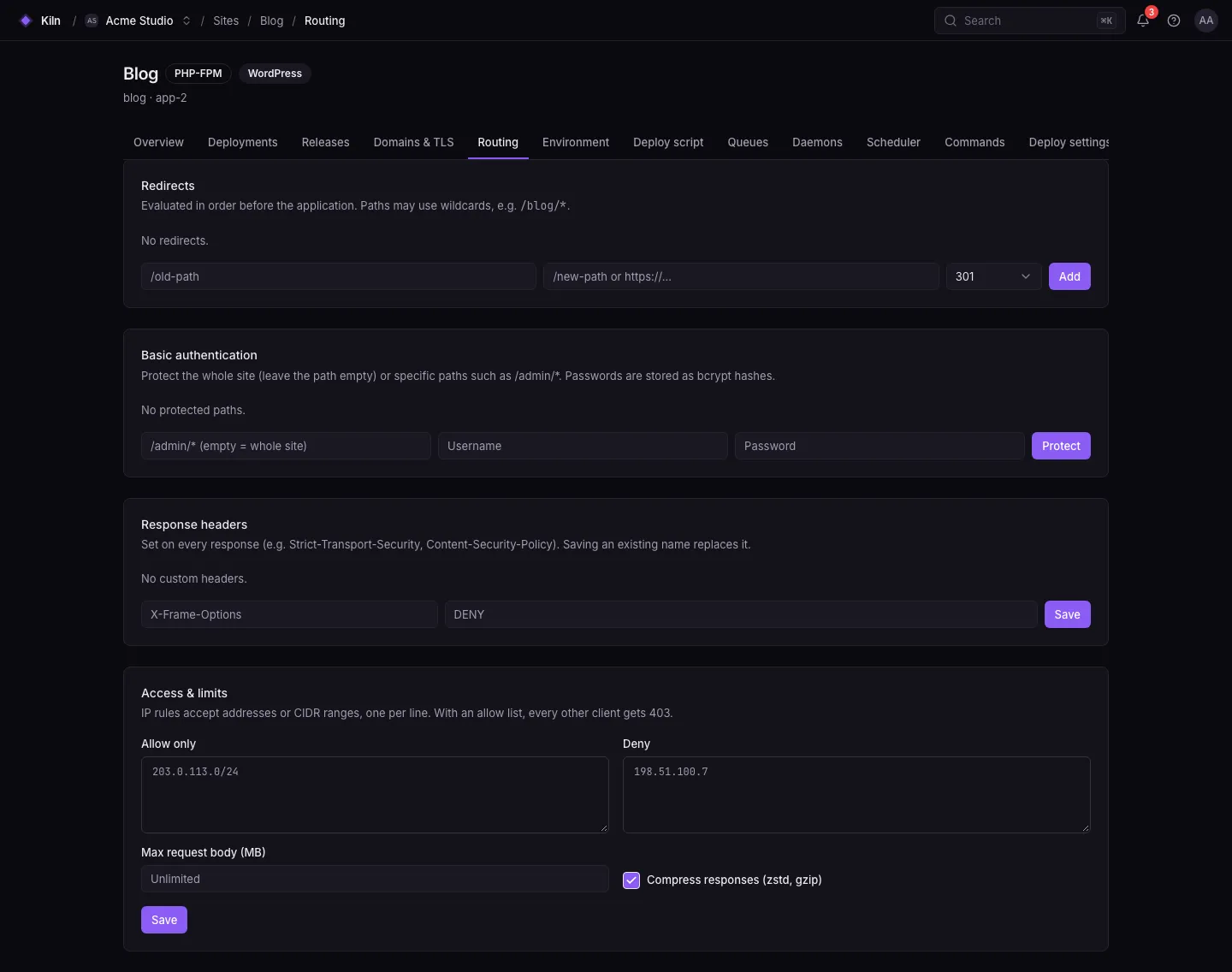
Redirects
Section titled “Redirects”| Field | Rule |
|---|---|
| From | A path starting with / (unique per site) |
| To | An absolute http(s):// URL or a path starting with / |
| Status | 301, 302, 307 or 308 |
/blog → https://blog.example.com 301/old-docs → /docs 308Headers
Section titled “Headers”Add response headers by name and value, for example Strict-Transport-Security: max-age=31536000 or X-Robots-Tag: noindex. Names use letters, digits and dashes; values are a single line up to 2000 characters.
Basic auth
Section titled “Basic auth”Protect the whole site or one path with HTTP basic auth:
| Field | Rule |
|---|---|
| Name | Optional label |
| Path | Optional, starts with / (empty = whole site) |
| Username | Letters, digits, ., _, @, - |
| Password | 8–200 characters |
Useful for staging environments and admin areas.
Security
Section titled “Security”| Setting | Meaning |
|---|---|
| Allow IPs | If set, only these IPs/CIDRs may connect (up to 200 entries) |
| Deny IPs | These IPs/CIDRs are refused (up to 200 entries) |
| Max body size | Maximum request body in bytes (up to 10 GiB); empty = no limit |
| Compression | Enable response compression (encode) |
Edge status
Section titled “Edge status”The Networking settings show, per server, whether the latest configuration was applied, and a Re-apply button. If an apply fails, the error is shown there.